
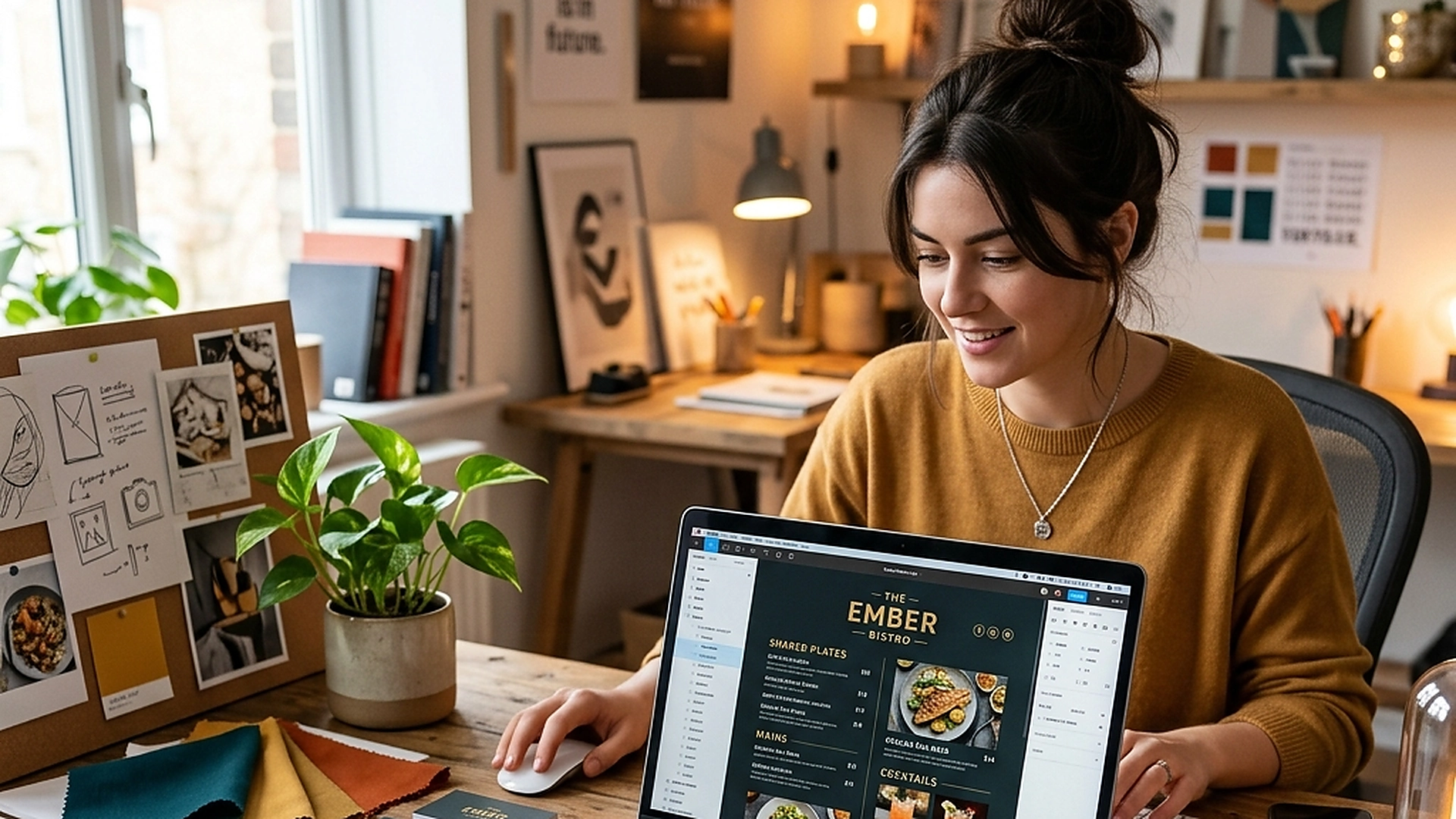
Your digital menu should feel like your restaurant, not ours. An advanced WYSIWYG Theme Editor gives you total control over typography, colors, borders, and layouts, ensuring brand consistency without writing code.
A visual design guide on customizing digital menus, managing CSS custom variables, and aligning digital interfaces with physical dining room aesthetics.
- Control typography, spacing, and colors visually in real-time.
- Manage global CSS custom variables to ensure brand-wide styling updates.
- Upload and crop custom brand assets like logos and category header covers.
- Test your design iterations instantly on our responsive smartphone preview panel.
1. The Value of Visual Consistency in Hospitality Branding
A restaurant's brand identity is built through its physical design—the lighting, the tableware, the printed menus, and the service style. If your digital menu uses generic layouts, the connection is broken. The online experience should feel like an extension of your dining room.
A WYSIWYG (What You See Is What You Get) theme editor allows you to align digital interfaces with physical styling. Whether you run a sleek dark-themed lounge or a bright rustic bakery, you can customize fonts, borders, and colors to match your brand's unique personality.
2. Utilizing CSS Custom Variables for Branded Styling
Behind the visual sliders of the theme editor is a robust architecture built on CSS custom variables. When you adjust a color or border radius, the editor updates variables like --color-brand-primary or --border-radius-card in real-time.
This variable structure ensures that styling changes are applied consistently across all pages, buttons, badges, and modals. It prevents styling conflicts and allows for clean, global design updates that render instantly in guest browsers.
3. Managing Brand Assets and Custom Image Crops
A professional design requires clean asset integration. The theme editor includes dedicated upload pipelines for logos, category headers, and background textures.
Use built-in cropping tools to ensure images fit mobile viewports perfectly. Ensure your logo has a transparent background and matches the primary contrast colors of your theme header, avoiding awkward box frames or unreadable text.
4. Testing Mobile Responsive Layouts on the Preview Panel
Designing a desktop interface can be deceptive, as 95% of your guests will browse the menu on mobile devices. The theme editor features a live mobile preview container that mimics standard smartphone viewports.
As you adjust color contrasts, padding scales, or typography sizes, the preview updates instantly. This allows you to check contrast ratios, verify button touch target sizes, and ensure your layout remains easy to browse on small screens.
5. Architectural Reliability and System Uptime
Maintaining high availability is fundamental for hospitality applications operating in real time. Redundant server infrastructure and edge replication ensure your digital menu stays active during high-volume dinner rushes without service dropouts.
6. Data Privacy, Encryption, and Security Controls
Protecting customer privacy and venue data is a core operational priority. End-to-end encryption, strict role-based permissions, and cookieless browsing standards safeguard your venue's analytics and guest interactions.
7. Measuring Long-Term Operational Impact
Evaluating long-term metrics enables continuous menu refinement. By tracking guest conversion rates, popular dish views, and average order values, venue managers can make data-driven improvements that boost revenue.
Frequently Asked Questions
Can we save multiple themes and switch between them?
Yes. You can save different theme presets and activate them instantly, allowing you to run a specialized dark theme for dinner and a bright theme for breakfast.
Does adding custom themes slow down the menu load speed?
No. The visual styles are compiled into lightweight CSS variables that load in microseconds, bypassing heavy JavaScript styling libraries.
Are Google Fonts supported inside the theme editor?
Yes. You can choose from a curated library of modern, high-speed Google Fonts to align your menu typography with your brand guidelines.
Final Takeaway
Total brand control ensures your venue stands out and builds customer trust. By utilizing the WYSIWYG theme editor, you can create a gorgeous, custom digital menu that honors your physical styling and delights your guests.