
Ditch vertical scrolling for menu browsing. A high-performance Tabbed Navigation System reduces bounce rates, speeds up item discovery, and delivers a superior mobile UX by organizing menus into instant, tap-responsive shelves.
A user experience study comparing vertical page scrolls with horizontal tabbeds, optimizing screen space, and improving menu navigation performance.
- Replace endless vertical scrolling with quick-tap category tabs.
- Optimize mobile screen space by implementing sticky, swipeable tab bars.
- Achieve sub-second navigation switches using virtualized DOM elements.
- Guide guests through categories using dynamic visual highlights.
1. Why Endless Vertical Scrolling Hurts Menu Conversion
Endless vertical scrolling is popular on social media platforms, where users seek distraction and novelty. In a restaurant setting, however, guests are focused on a goal: finding a specific type of food. Forcing them to scroll past dozens of items to reach a dessert or salad creates frustration and decision fatigue.
If a guest has to scroll endlessly, they are more likely to miss high-margin categories located at the bottom of the page. Tabbed navigation solves this by organizing the menu into clean, clickable shelves, allowing users to jump directly to their category of choice.
2. Designing Sticky, Swipeable Tab Bars for Mobile Devices
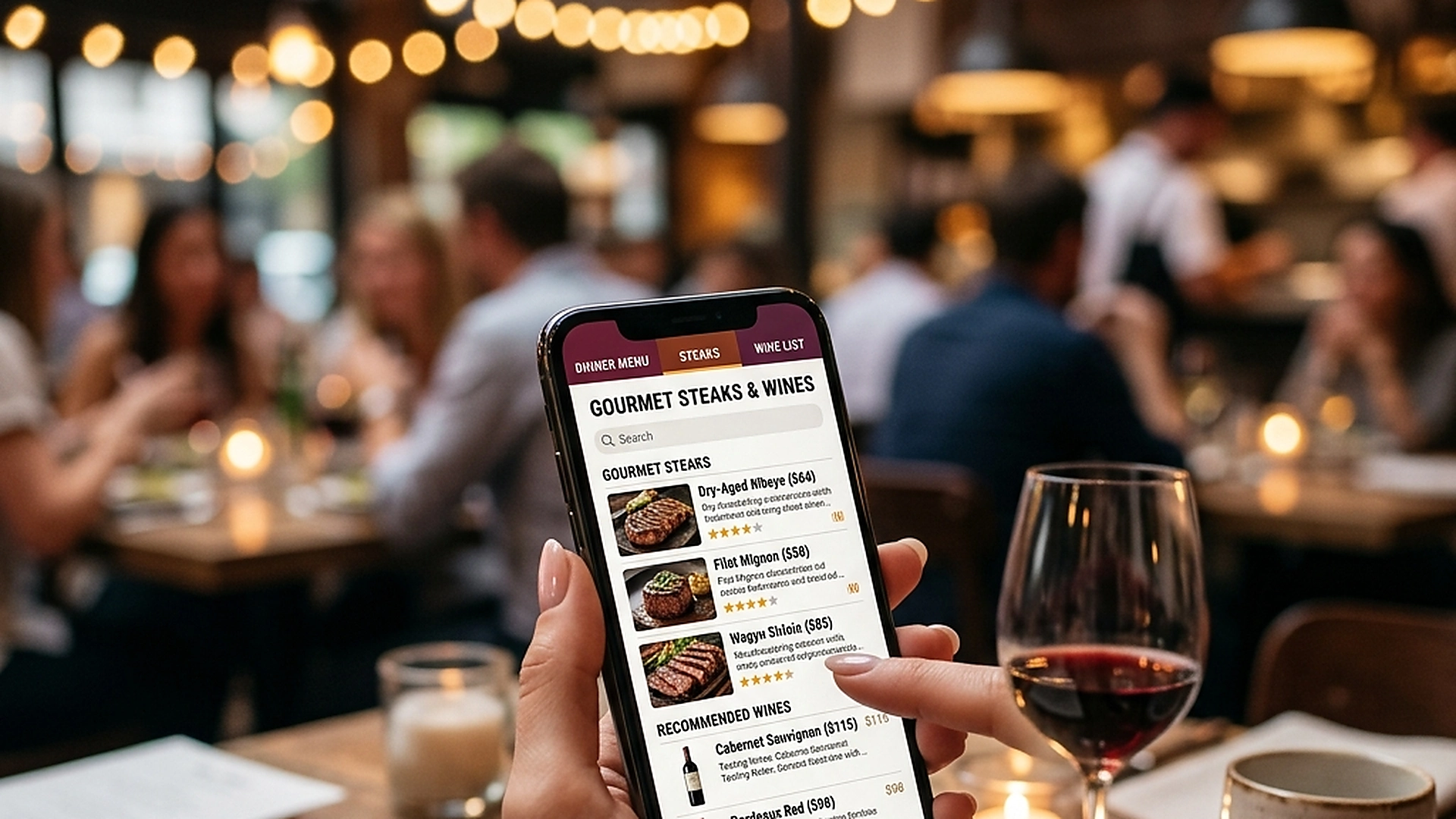
On mobile screens, navigation controls must remain within comfortable reach of the guest's thumb. A premium tabbed navigation system features a sticky tab bar at the top or bottom of the viewport.
This navigation bar should support both horizontal swiping and tap actions, allowing guests to slide through categories (e.g., "Starters", "Mains", "Drinks", "Desserts") smoothly. The active category should remain highlighted, keeping the guest oriented as they browse.
3. DOM Virtualization and Sub-Second Navigation Switches
A large menu with hundreds of dishes, custom options, and high-resolution photos can slow down web browsers if the entire page is loaded at once. Navigating between categories can become laggy.
To maintain sub-second speed, the system implements DOM virtualization. Only the active category items are rendered in the browser, while other categories are preloaded in memory. When a guest taps a tab, the new items swap instantly, delivering a fast, native-app feel.
4. Using Dynamic Visual Highlights to Guide Guest Choices
Tabbed bars do not just organize content; they also act as a marketing tool. You can use badges and visual highlights within the tab bar to draw attention to specific sections.
Add small indicators like "New", "Chef's Choice", or a flame icon next to specific categories. This subtle styling guides guests toward high-margin menu sections, helping shape customer decisions and growing average order values.
5. Architectural Reliability and System Uptime
Maintaining high availability is fundamental for hospitality applications operating in real time. Redundant server infrastructure and edge replication ensure your digital menu stays active during high-volume dinner rushes without service dropouts.
6. Data Privacy, Encryption, and Security Controls
Protecting customer privacy and venue data is a core operational priority. End-to-end encryption, strict role-based permissions, and cookieless browsing standards safeguard your venue's analytics and guest interactions.
7. Measuring Long-Term Operational Impact
Evaluating long-term metrics enables continuous menu refinement. By tracking guest conversion rates, popular dish views, and average order values, venue managers can make data-driven improvements that boost revenue.
Frequently Asked Questions
Does tabbed navigation work for menus with nested subcategories?
Yes. The system supports nested two-tier tab structures, allowing you to display main categories (e.g., "Wine") and subcategories (e.g., "Red", "White") cleanly.
Can guests still scroll vertically if they prefer it?
Yes. Swiping vertically within a category flows naturally, and reaching the end of a section transitions the active tab indicator to the next category automatically.
How does tabbed navigation perform on slower mobile devices?
By virtualizing off-screen elements and minimizing CSS weight, the browser does not experience layout shifts, ensuring smooth rendering on old devices.
Final Takeaway
Organized navigation is a core element of a great digital dining experience. By utilizing tabbed structures and virtualized lists, you make menu browsing fast, intuitive, and highly focused on conversion.