
Ditch the paper tickets. A dedicated, distraction-free Kitchen Display System (KDS) Mode keeps chefs focused, organizes preparation queues, and synchronizes back-of-house operations in real-time.
An operational study on KDS interface design, ticket prioritization, sound configurations, and the transition from paper printers to digital screens.
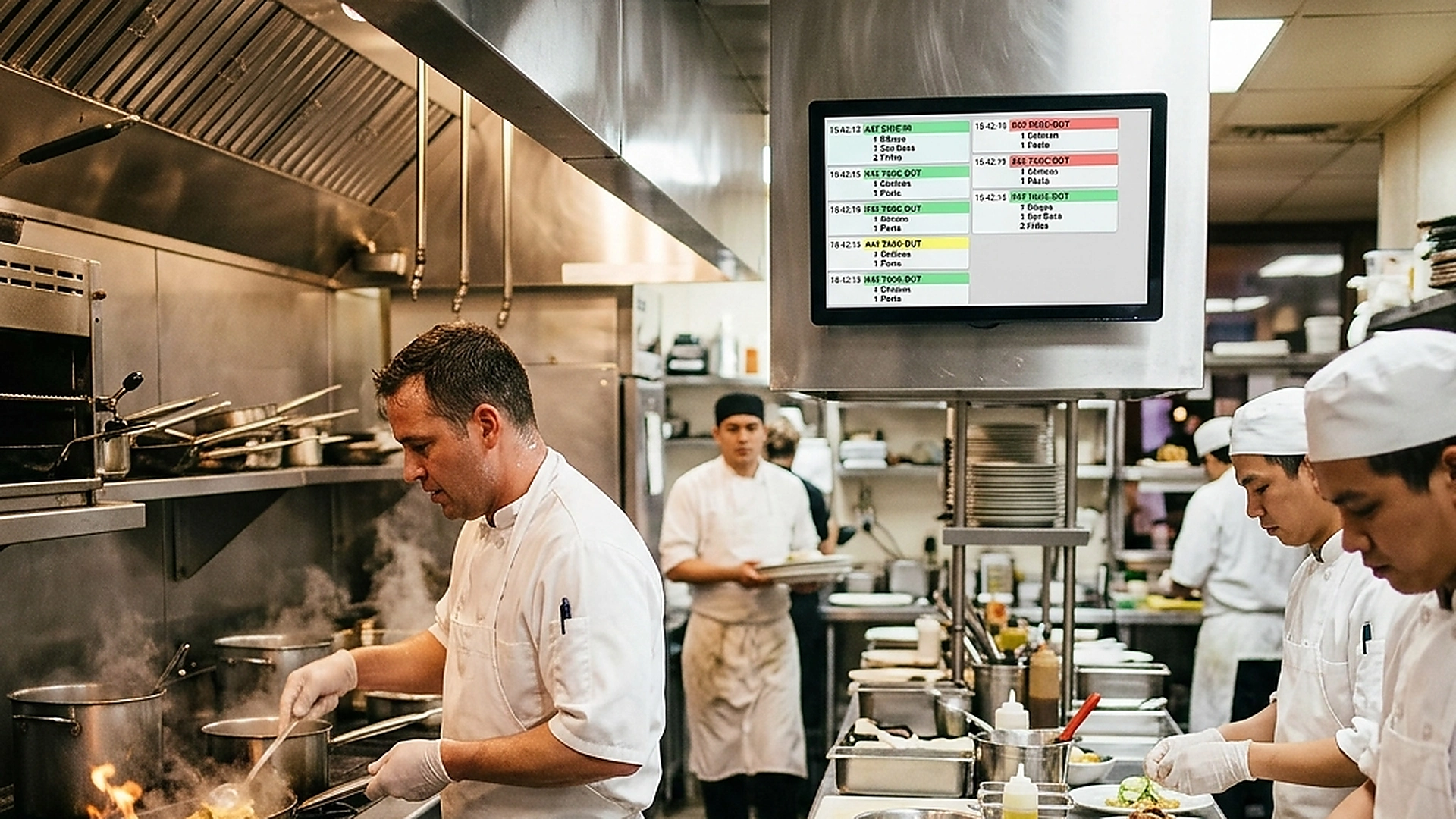
- Replace physical printers with high-visibility, color-coded digital order columns.
- Organize prep queues using chronological ticket age tracking.
- Configure distinct auditory alerts for new orders, modifications, and cancellations.
- Improve communication by syncing ticket completions back to the service staff instantly.
1. The Operational Limitations of Paper Kitchen Printers
For decades, restaurant kitchens have relied on thermal paper printers to receive orders. In a busy dinner rush, this leads to major inefficiencies: tickets get lost in the grease, orders are misread, and paper waste accumulates. Crucially, paper is static, meaning cancellations or modifications cannot be updated in real-time.
A digital Kitchen Display System (KDS) replaces these printers with robust, interactive touchscreens. When a guest submits an order or requests a modification, the change is displayed on the screen instantly, preventing chefs from preparing cancelled items and saving money on wasted ingredients.
2. Designing a Distraction-Free Interface for High-Pressure environments
A kitchen is a hot, loud, and high-speed environment. A KDS interface designed for a quiet office will fail on the hot line. The UI must be optimized for readability from a distance of several feet.
Use large, bold typography with high contrast against a dark background to reduce glare. Color-code ticket headers based on preparation age (e.g., green for new, orange for average, red for overdue) to help chefs prioritize the queue. Keep touch targets large so cooks can easily bump tickets even while wearing gloves.
3. Auditory Alerts and Notification Workflows on the Hot Line
Chefs cannot keep their eyes glued to a screen while cutting ingredients or managing hot pans. Visual updates must be supported by distinct, high-quality audio notifications.
Configure different sounds for different events: a bright ping for a new order, a lower alert for an item modification, and a distinct alarm for a cancellation. Ensure the speaker system is loud enough to be heard over extractor fans and kitchen noise.
4. Syncing Ticket Progress to the Front-of-House Crew
A major bottleneck in restaurant service is wait staff repeatedly asking chefs "Is table 5 ready?". This constant distraction slows down preparation and raises kitchen stress. A synced KDS system automates this updates flow.
When a chef taps a ticket to mark it "Ready", the system instantly updates the waiter's pocket app or pager. Waiters can pick up the food from the pass immediately, ensuring dishes are served hot and kitchen communication remains quiet.
5. Architectural Reliability and System Uptime
Maintaining high availability is fundamental for hospitality applications operating in real time. Redundant server infrastructure and edge replication ensure your digital menu stays active during high-volume dinner rushes without service dropouts.
6. Data Privacy, Encryption, and Security Controls
Protecting customer privacy and venue data is a core operational priority. End-to-end encryption, strict role-based permissions, and cookieless browsing standards safeguard your venue's analytics and guest interactions.
7. Measuring Long-Term Operational Impact
Evaluating long-term metrics enables continuous menu refinement. By tracking guest conversion rates, popular dish views, and average order values, venue managers can make data-driven improvements that boost revenue.
Frequently Asked Questions
What hardware is recommended for a restaurant KDS?
Industrial-grade, water-resistant touchscreen monitors or heavy-duty tablets with protective casings are recommended to withstand kitchen heat and humidity.
Can the KDS handle multiple preparation stations (e.g., grill vs. salad)?
Yes. The system supports station filtering, showing only grill orders to the grill screen and pastry items to the pastry station, reducing noise.
How do chefs retrieve a ticket that was bumped by accident?
The KDS interface includes a quick-access "Recall" queue, allowing chefs to restore recently completed tickets to the main screen in one tap.
Final Takeaway
Transitioning to a digital Kitchen Display System removes back-of-house noise and puts organization in place of chaos. By keeping your chefs aligned and your service staff informed, you speed up table delivery times and build a calmer kitchen.